
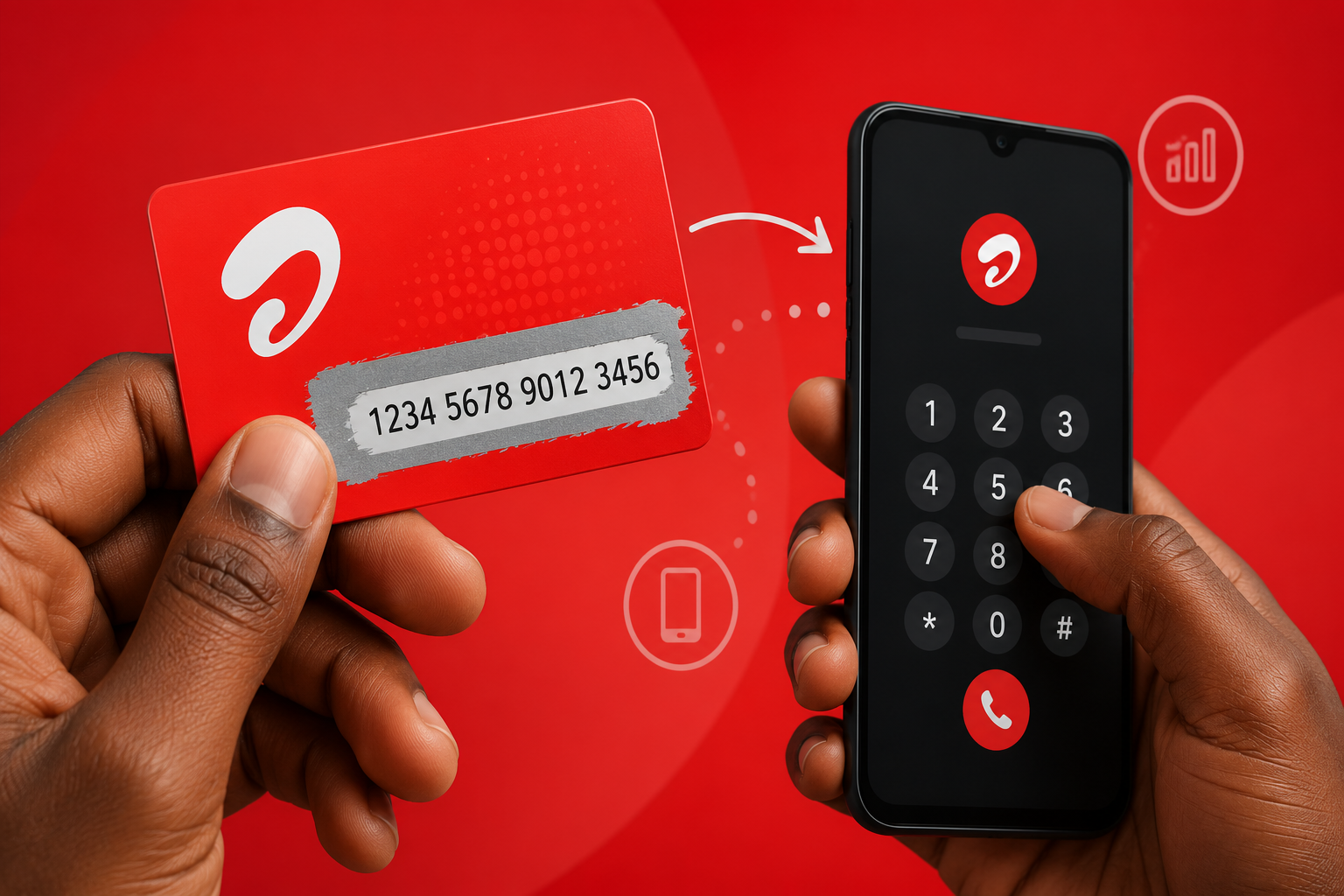
Have you recently bought a physical recharge voucher from your local mobile shop? Many people across India still love the sheer simplicity of buying a paper scratch card. You visit your neighborhood store, hand over the cash, the shopkeeper gives you a small glossy card, and you secure your talk time instantly. However, sometimes people forget the exact steps they need to follow to apply that special number to their mobile account. If you want to know how to load your Airtel recharge card PIN correctly without facing any confusing errors, you have certainly come to the right place. We will walk you through the easiest and most practical ways to get your data and calling benefits working in absolutely no time.
Our comprehensive guide covers everything from typing the exact USSD codes on your keypad to exploring digital methods on your smartphone. You will learn the best tips to complete your Airtel prepaid recharge smoothly and instantly. Grab your physical card, keep your mobile phone handy, and let us dive straight into the simple process of adding that precious balance to your mobile network.
Understanding the Magic of the Airtel Recharge Card PIN
Telecom companies design physical vouchers to work securely, quickly, and flawlessly offline. When you look closely at your newly purchased voucher, you will notice a shiny silver scratch-off area printed firmly on the back. Underneath this thin protective layer lies your unique Airtel recharge card pin. This special 16-digit code holds the exact monetary value of the cash you just paid at the counter. The telecom giant generates these complex, random numbers using advanced systems to ensure nobody guesses your code randomly. You must protect this sensitive code from prying eyes until you successfully add the balance to your active mobile number.
People living in remote villages or traveling through low-network areas often rely heavily on these cards. You do not need an active internet connection or a smart banking app to process this specific transaction. You just need a very basic mobile signal to transmit the code back to the central telecom operator. Furthermore, these physical vouchers make excellent, practical gifts for your loved ones. You can buy a talk time voucher and give it to your parents or elderly relatives so they can recharge their phones from the comfort of their homes. You essentially hold a tiny piece of printed paper, but it immediately gives you access to a massive, nationwide mobile network. Before you proceed to dial any numbers, make sure you arrange a simple coin or a gentle object to reveal the hidden digits carefully.
Preparing Your Scratch Card Safely
You need to exercise a little patience and caution before you start furiously dialing numbers on your screen. Take a standard rounded coin and gently rub the silver security panel on the back of your card. Do not use sharp objects like metal keys, kitchen knives, or safety pins under any circumstances. Sharp edges easily tear the delicate paper and permanently destroy the freshly printed digits underneath the foil. If you apply too much pressure and scratch too hard, you might accidentally erase one or two crucial numbers, which ultimately makes the entire voucher completely useless.
Take your sweet time and clear away all the silver dust until you can clearly read the entire 16-digit sequence from left to right. Keep the card flat on a well-lit table and ensure you have adequate lighting in your room to avoid misreading any numbers. Sometimes, people mistakenly think the number eight looks like the letter B, or the number zero looks exactly like the letter O. However, telecom providers strictly use only numbers for their main recharge vouchers to prevent this exact confusion. Once you reveal the complete number perfectly, keep the card resting close to your phone. You are now completely ready to type the numbers and successfully activate your exciting data pack.
The Classic Method: Using USSD Codes to Load Your PIN
Most mobile phone users find USSD codes the absolute fastest way to get their talk time loaded. A standard USSD code acts as a highly secure, direct communication line between your personal handset and the massive telecom network. You do not need any Wi-Fi or mobile internet connection whatsoever to use this brilliant offline feature. To begin the process, unlock your smartphone or your classic keypad phone and open the default dialer application. Look at the instruction text printed on the back of your physical card to find the exact format you need to follow.
Usually, you need to type a very specific sequence on your keypad to make the magic happen. You type star one two one star, immediately followed by your complete 16-digit code, and finish the sequence with a hash symbol. For instance, you type 1211234567890123456# exactly as you see it on your screen. Do not leave any blank spaces between the stars, the numbers, or the final hash symbol. Once you type the complete sequence accurately, press the green call button from your active mobile SIM.
The phone screen will immediately display a pop-up message saying the network currently processes your request. Within just a few short seconds, you will receive a joyful confirmation SMS in your inbox. This SMS officially tells you that you successfully completed your task. You can now start making long phone calls or browsing your favorite websites using your newly loaded internet pack.
Navigating the Voice Instructions Route
Sometimes, typing long codes on a small screen feels overwhelming, confusing, or just plain difficult. If you genuinely hate typing multiple numbers and worry about making a typo, you can comfortably use the voice method. Many users ask how to activate airtel voucher benefits without typing the long USSD string, and the IVR voice system provides the perfect answer. Simply open your phone dialer app and dial the simple number 123. The automated voice assistant will instantly answer your call and cheerfully ask you to select your preferred language. You press one for English, two for Hindi, or easily choose your local regional language from the available options.
Listen very carefully to the main menu options the assistant reads out to you. The polite voice will ask you to press a specific number on your keypad to recharge your account using a physical scratch card. Press that exact number firmly. The assistant will then kindly ask you to slowly enter your 16-digit Airtel recharge card pin using your dialpad. Type the numbers steadily and carefully on your screen.
After you finish entering the entire string of numbers, the automated system usually asks you to press one to confirm your entry. The intelligent voice system will quickly verify the code against their database and happily announce that your top-up is successful. You can confidently hang up the call and wait for the official confirmation text message to arrive. This specific method works perfectly for elderly users or anyone who prefers listening to clear voice instructions rather than reading tiny text on a bright screen.
The Modern Alternative: Using the Official Mobile App
The digital world offers a wonderfully smooth alternative if you have a working Wi-Fi connection at home. The telecom company provides a beautiful, dedicated mobile application to help you seamlessly manage all your telecom needs in one place. You can easily complete an Airtel thanks app recharge right from your glowing smartphone screen. First, visit your mobile app store, search for the official application, and download it to your device. Log into your personal account securely using your active mobile number and the instant one-time password they send to your inbox.
Once you successfully reach the main app dashboard, actively look for the prominent ‘Recharge’ section on the screen. Tap directly on the option that clearly says ‘Prepaid’. The application will immediately show you multiple convenient ways to add money to your account. Look closely for a specific option that mentions paper vouchers, promo coupons, or physical cards. You tap on that specific section, and a clean, empty text box will magically appear on your screen. Carefully type the long 16-digit number from your physical paper card directly into this interactive text box.
Double-check all the numbers on the screen to ensure you typed everything perfectly without any errors. Tap the bright apply or submit button at the bottom to process the transaction immediately. The smart app will securely verify the secret code with the main servers and instantly credit your mobile account. You will see a vibrant success screen prominently displaying your new pack details, your talk time value, and your exact validity period. The app also conveniently shows you all your active network benefits gathered in one clear, easy-to-read dashboard.
How to Handle an Airtel Coupon Code Like a Pro
Sometimes, you might buy a tasty snack packet, a large chocolate bar, or a beverage that proudly offers free mobile data on the wrapper. These exciting promotional items usually contain a special, hidden Airtel coupon code printed secretly inside the plastic wrapper. You handle these specific promotional codes slightly differently than you handle regular retail talk time vouchers. You almost always need the official smart mobile app to successfully claim these special promotional megabytes.
Open your mobile app and navigate directly to the ‘My Coupons’ section tucked inside your main profile menu. Type the unique alphanumeric promotional code from your snack wrapper carefully into the provided blank box. Tap the claim button firmly, and the application will securely store your free data voucher directly in your account vault. You can happily redeem this data coupon whenever your daily internet limit unexpectedly runs out during a busy day.
Always check the printed expiry date on these promotional wrappers, because these special offers usually expire quickly within a few short months. Telecom companies frequently partner with many popular snack brands to offer these exciting bonuses to normal consumers. Keep your eyes wide open for such amazing offers during your regular grocery shopping trips.
Common Mistakes While Entering Your Secret Code
People often make tiny, unnoticed mistakes that stubbornly prevent the recharge from going through smoothly. The most common error involves simply typing the wrong digits on the phone keypad. You might accidentally press the number four instead of the number five in a hurry. When you send an incorrect code to the server, the network immediately replies with a frustrating invalid pin error message. Always read the individual numbers out loud to yourself as you type them to easily avoid this simple, careless mistake.
Another big issue involves poor network signal strength. If you sit deep inside a dark basement or a thick concrete building, your phone might drop the vital network signal. You press the green call button confidently, but the digital request never actually reaches the main telecom server. Walk near an open window or step outside your house to get a full network signal before you send the USSD code.
Furthermore, do not ever buy physical vouchers that look noticeably old, damaged, or previously scratched from the shop. Some dishonest sellers might try to trick you and sell you a completely used card. Always inspect the shiny silver coating closely before you hand over your hard-earned cash. If the protective coating looks tampered with or poorly pasted, refuse the card instantly and demand a fresh one. Taking these small, practical precautions saves you from losing your money and your precious time.
What to Do If Your Recharge Fails Unexpectedly
Even when you follow every single instruction correctly, unexpected technical glitches can sometimes halt your transaction midway. You type your Airtel recharge card pin flawlessly, but the system randomly says the service remains temporarily unavailable. Do not panic or throw your card away when this annoying situation happens. Telecom servers occasionally undergo routine background maintenance, which might delay your request by a few minutes. Keep your scratch card safe in your pocket and patiently wait for at least fifteen minutes. Try entering the USSD code again after some time passes.
If the system still stubbornly rejects your correct code, dial 121 directly from your mobile phone to reach the official customer care helpline. Speak politely to the customer support executive and explain your specific problem clearly and calmly. Tell them you purchased a physical voucher from a store and the printed code continuously fails to work.
The helpful executive will ask you to read out the unique serial number clearly printed on the card. You can usually find this long serial number printed right below or just above the shiny scratch area. The dedicated support team will manually verify the serial number in their main system and directly credit the correct balance to your personal account. Never throw your paper card away into the dustbin until you actually see the new balance reflecting properly on your phone screen.
How to Check Airtel Balance After a Successful Top-Up
You always need to verify that your account actually received the exact benefits you paid cash for at the store. You can easily check Airtel balance using a very quick, memorable dialer code. Open your phone keypad one more time and type star one two three hash. Press the call button swiftly to send the secure request to the network. Your mobile phone screen will quickly flash a detailed text message displaying your current main balance, your remaining daily internet data, and your exact pack validity.
Alternatively, you can simply open your official mobile app to see all these important details presented beautifully on the colorful home screen. Checking your balance immediately gives you immense peace of mind. You know the transaction worked perfectly, and you can comfortably start using your mobile services to call your friends or watch entertaining videos online.
Conclusion
Adding money to your prepaid number remains a remarkably simple task when you know the exact right steps to follow. Whether you prefer the classic, old-school dialer codes or the modern, sleek app experience, you have multiple fantastic ways to use your physical voucher. Always scratch the silver security panel gently, type the digits carefully on your screen, and ensure you have a strong network signal before you hit the call button. Following these basic, proven rules guarantees a smooth, stress-free, and instant top-up every single time you buy a card. Grab your voucher, follow the easy steps we discussed today, and enjoy your uninterrupted calling and fast internet benefits right now.
FAQs
How do I properly use a 16-digit offline recharge code?
You simply open your standard phone dialer, type star one two one star followed immediately by your 16-digit code and a final hash symbol, and press the call button. The network instantly verifies the secret code and adds the requested balance directly to your account.
Can I load a physical scratch card using the smart mobile app?
Yes, you can easily load your physical voucher through the official telecom application on your smartphone. You just log into your personal account, navigate to the prepaid recharge section, choose the specific voucher option, and type your code accurately into the box provided on the screen.
What should I do if I accidentally scratch off some important numbers?
You must keep the physically damaged card safe and immediately call the official customer care helpline at 121. You carefully provide the support executive with the visible serial number printed on the card, and they will manually help you credit the correct amount to your mobile number.
How do I instantly check if my recent top-up was successful?
You confidently dial star one two three hash from your phone keypad to view your current main balance and pack validity right on your screen. You also automatically receive a confirmation text message from the network operator the exact moment your transaction succeeds.
Does the physical paper voucher expire if I do not use it immediately?
Physical paper vouchers do indeed carry a specific expiry date clearly printed on the back of the card. You should always check this important date before purchasing the card from the shopkeeper and ensure you apply the code to your account long before that specific date passes.
Read Also-: Understanding the Real Functions of Women Entrepreneurs in India
